
How can my site appear on the first page of Google? (SEO Guide for Beginners)
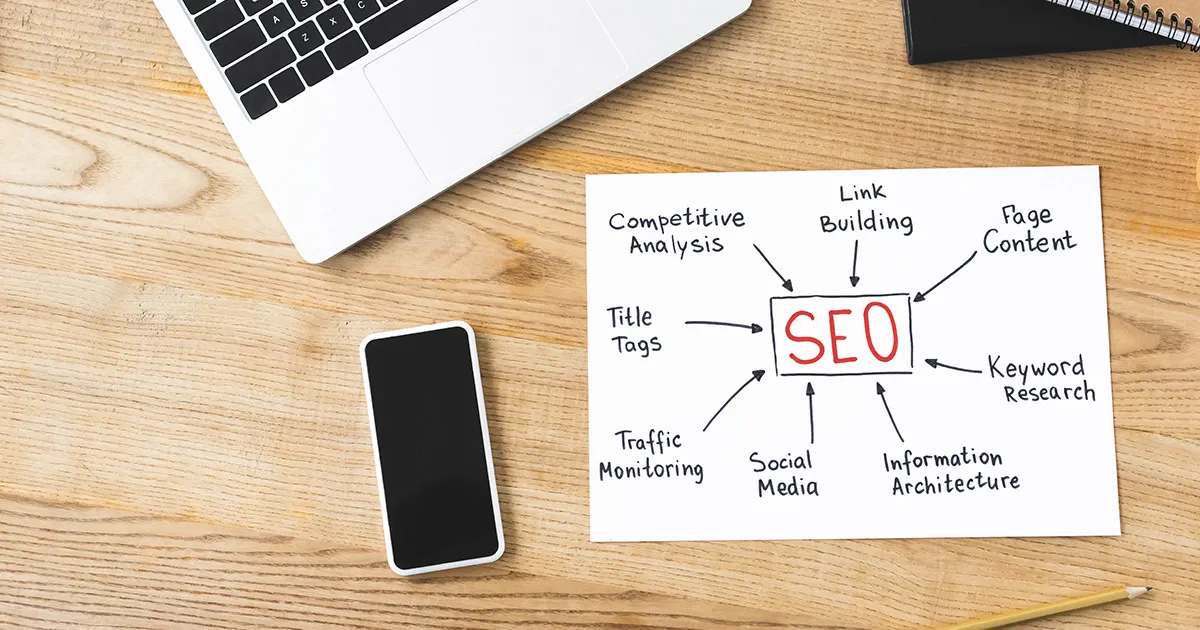
Putting your website online is just the first step. The real challenge begins when you realize your site isn't visible on Google, and the competition regularly appears on the first page of search results. You might be wondering why no one finds your company, products, or services when they search on Google?
The answer lies in SEO optimization - Search Engine Optimization. In this detailed guide, Global Dizajn will reveal everything you need to know to get your site to the first page of Google results. No technical jargon, just practical tips you can apply immediately.
Why Is It Important to Be on the First Page of Google?
Before we dive into the technicalities, let's clarify why this is important for your business at all.
Statistics that say it all:
- 75% of users never go past the first page of Google results
- The top 5 positions get 67% of all clicks on search results
- The first position gets 32% of all clicks on average
- Google search brings 53% of traffic to most websites
- SEO brings clients who are actively searching for your products or services
Simply put: if you are not on the first page of Google, you don't exist for most potential customers. Your competitors are getting the clients you could have.
What is SEO and How Does Google Rank Websites?
SEO (Search Engine Optimization) is the process of optimizing a website to be as visible as possible in organic (unpaid) search results.
How Does Google Decide Who Gets to the First Page?
Google uses complex algorithms with over 200 ranking factors. The three most important factors are:
Relevance: Does your website answer the user's query?
Authority: Is your website a reliable and credible source of information?
User Experience: Do users easily find information and enjoy your website?
Google robots (crawlers) constantly browse the internet, index pages, and rank them according to these criteria. Your task is to help them understand what your site offers and why it deserves the top spot.
The Basics of SEO: Three Pillars of Successful Optimization
SEO is divided into three main areas that must work together:
1. On-Page SEO (On-Site Optimization)
Everything you can control directly on your site - content, structure, technical elements.
2. Off-Page SEO (Off-Site Optimization)
Activities outside your site that build authority - links, mentions, social media.
3. Technical SEO (Technical Optimization)
Technical aspects that allow Google to properly index and rank your site.
Let's go through each segment in detail.
On-Page SEO: Content and Structure Optimization
This is the most important part of SEO that you completely control.
Keyword Research - The Foundation of Everything
Before you write anything, you must know what your target audience is searching for on Google.
What are keywords? These are phrases and words that people type into Google when looking for information, products, or services.
How to find the right keywords:
Google Keyword Planner (free tool)
- Go to the Google Ads platform
- Use the Keyword Planner tool
- You will see how many people search for certain terms monthly
Google Autocomplete
- Start typing into Google search
- Google will suggest popular queries
- These are real searches by real people
"People Also Ask" section
- Check which questions Google suggests
- These are the real needs of your target audience
Tools we recommend:
- Ubersuggest (free/paid)
- SEMrush (paid, professional)
- Ahrefs (paid, most comprehensive)
- Answer the Public (free, great ideas)
Types of keywords:
Short-tail keywords: 1-2 words, high competition Example: "web design"
Long-tail keywords: 3+ words, lower competition, higher conversion Example: "web design for small businesses in Belgrade"
Local keywords: Contain city/region Example: "web design agency Novi Sad"
Tips for beginners:
- Focus on long-tail keywords - it's easier to rank for them
- Choose keywords with present search volume (at least 50-100 searches per month)
- Check the competition - if the top spots are taken by giants, maybe you should change your strategy
Title Optimization (Title Tag)
The Title tag is the most important on-page SEO element. It is the headline that appears in Google results.
Rules for a perfect Title Tag:
- Length: 50-60 characters (so it's not cut off)
- Keyword at the beginning: Place the main keyword as close to the beginning as possible
- Brand at the end: Add the company name
- Unique for every page: Never use the same title on multiple pages
- Natural and appealing: Must encourage a click
Bad example:
Welcome to our page
Good example:
Web Design Belgrade - Website Development from 300€ | Global Dizajn
Meta Description - Short Page Description
The Meta description is displayed below the title in Google results. It does not directly affect ranking but does affect CTR (click-through rate).
Rules for a good Meta Description:
- Length: 150-160 characters
- Include the keyword: Google will bold it in the results
- Call to action: Encourage the user to click
- Unique for every page: Customized to the content
Example:
Professional website development in Belgrade. Responsive design, SEO optimization, and CMS. Free consultation. Call 011-123-4567 or visit us today!
H1, H2, H3 - Heading Structure
Headings organize content and help Google understand what you are writing about.
Heading Hierarchy:
- H1: Main title of the page (only one per page)
- H2: Main subheadings
- H3: Sub-subheadings
- H4, H5, H6: Further hierarchy
Structure Example:
H1: How to create an SEO strategy for a website
 H2: What is SEO optimization?
 H3: On-Page SEO
 H3: Off-Page SEO
 H2: How to choose keywords?
 H3: Research tools
 H3: Long-tail vs Short-tail
Best practices:
- H1 must contain the main keyword
- H2 and H3 can contain variations and LSI keywords
- Use natural language, not keyword stuffing
Content Optimization - Quality is King
Google favors detailed, high-quality content that answers user questions.
Characteristics of good SEO content:
Content Length:
- Short pages (300-500 words): For simple topics
- Medium pages (800-1200 words): For most topics
- In-depth pages (2000+ words): For complete guides and complex topics
Studies show that pages on the first page of Google have an average of 1,890 words.
Original Content:
- Never copy content from other websites
- Google penalizes duplicate content
- Provide a unique perspective or information
Usefulness:
- Answer user questions
- Solve their problems
- Provide concrete examples and advice
Readability:
- Short paragraphs (2-4 sentences)
- Use of bullet points
- Bold important parts
- Clear sentences
- Avoid jargon (unless your audience expects it)
Keywords in Content:
- Main keyword in the first paragraph
- Naturally distributed throughout the text (not excessively)
- Use of synonyms and LSI keywords (Latent Semantic Indexing)
- Keyword density: 1-2% (no more!)
LSI keywords - What are they? These are words and phrases semantically related to your main keyword. Example:
- Main keyword: "web design"
- LSI: "website development", "responsive design", "UX design", "WordPress", "frontend development"
URL Structure - More Important Than You Think
A clean, descriptive URL helps both Google and users.
Bad URLs:
www.example.rs/?p=123
www.example.rs/strana.php?id=45&cat=3
Good URLs:
www.example.rs/web-design-belgrade
www.example.rs/services/website-development
www.example.rs/blog/seo-guide-for-beginners
Rules for SEO URLs:
- Short and descriptive
- Contain the keyword
- Use hyphens (-) instead of underscores (_)
- Lowercase only
- No special characters
- Logical hierarchy
Internal Linking - Connecting Pages
Links between pages on your site help Google understand the structure and importance of individual pages.
Why it's important:
- Distributes "link juice" (authority) throughout the site
- Helps the indexing of new pages
- Reduces bounce rate
- Improves user experience
How to use internal links correctly:
- Link relevant pages naturally from the content
- Use descriptive anchor texts (not "click here")
- Link to more important pages more frequently
- Create "hub" pages that link to related topics
Example:
If you are interested in how to speed up your website, read our guide
on optimization of loading speed.
Image Optimization for SEO
Images can bring significant traffic via Google Image Search.
Alt texts: Describe what the image shows. They are important for accessibility and SEO.
Bad alt text:
<img src="img001.jpg" alt="image">
Good alt text:
<img src="modern-web-design-belgrade.jpg" alt="example of modern web design for a company in Belgrade">
File names: Rename images before upload.
Bad: DSC_1234.jpg Good: web-design-portfolio-2025.jpg
Size optimization:
- Compress images (TinyPNG, ImageOptim)
- Use modern formats (WebP)
- Responsive images for different screens
- Lazy loading for faster loading
Off-Page SEO: Building Authority
Off-page SEO refers to activities outside your site that build authority and trust.
Backlinks - Votes of Confidence for Your Website
A backlink is when another website links to your website. Google sees this as a "vote" for the quality of your content.
Why backlinks are important:
- Most important ranking factor after content
- Build Domain Authority (DA)
- Bring direct traffic
- Increase credibility
Quality vs. Quantity: One link from an authoritative site is worth more than 100 links from poor sites.
Characteristics of a quality backlink:
Relevant site: Link from a site in the same or similar industry
High Domain Authority: Check the site's DA (Moz, Ahrefs tools)
Dofollow link: Passes on "link juice" (SEO value)
Natural context: Link in relevant content, not in the footer or sidebar
How to get quality backlinks:
- Guest blogging: Write quality articles for other sites in your industry
- Creating valuable content: Infographics, studies, tools - content that people naturally link to
- Broken link building: Find broken links on other sites and offer your content as a replacement
- Local directories: Register in Google My Business, Yelp, local directories
- PR and media: Mentions in the media often bring quality links
- Partners and suppliers: Ask business partners for reciprocal links
IMPORTANT - Avoid:
- Buying links
- Link farms
- Spamming comments
- Automated link systems
- PBN (Private Blog Networks)
Google penalizes these practices and can deindex your site.
Social Media and SEO
Although social networks do not directly affect ranking, they indirectly help:
- Increase content visibility
- Bring traffic to the site
- Build brand recognition
- Can generate backlinks
Best practices:
- Share content from the site regularly
- Optimize Open Graph tags for better display
- Be active and engage the audience
- Use hashtags strategically
Technical SEO: Technical Optimization
Technical aspects that allow Google to properly index your site.
Website Loading Speed
Speed is a direct ranking factor, especially for mobile devices.
How to speed up your website:
- Optimize images
- Use browser caching
- Minimize CSS and JavaScript
- Implement CDN
- Upgrade hosting
- Use HTTP/2
Testing tools:
- Google PageSpeed Insights
- GTmetrix
- Pingdom
Goal: Loading under 3 seconds
Mobile-First Indexing
Google prioritizes indexing the mobile version of the website.
What this means:
- Your site MUST be responsive
- The mobile version must have the same content as the desktop version
- Mobile navigation must be simple
- Touch elements large enough (min 48x48px)
Testing the mobile version: Google Mobile-Friendly Test tool
SSL Certificate (HTTPS)
HTTPS is a ranking factor and a standard for all modern websites.
Why it's important:
- Google favors HTTPS sites
- Users trust secure sites
- Mandatory for online shops
- Chrome marks HTTP sites as "Not Secure"
How to get it: Most hosting providers offer free Let's Encrypt SSL certificates.
XML Sitemap
A Sitemap is a map of your website that helps Google find all pages.
How to create:
- WordPress: Yoast SEO plugin automatically creates it
- Other CMS: Sitemap generator tools
- Manually: XML sitemap generator online tools
Adding to Google: Google Search Console → Sitemaps → Add the URL of your sitemap
Robots.txt File
A file that tells Google bots which pages to index and which not to.
Robots.txt Example:
User-agent: *
Disallow: /admin/
Disallow: /private/
Allow: /
Sitemap: https://www.yoursite.rs/sitemap.xml
Structured Data (Schema Markup)
Structured data helps Google better understand your content and can result in Rich Snippets.
Examples of Schema Markups:
- Local business (address, phone, opening hours)
- Reviews and ratings
- Recipes
- Events
- FAQ
- Products and prices
How to implement:
- Schema.org documentation
- Google Structured Data Markup Helper
- JSON-LD format (Google recommends)
Google Search Console - Mandatory Tool
A free tool that allows tracking of how Google views your site.
What you can track:
- Which keywords bring traffic
- Search result positions
- Indexing errors
- Backlinks profile
- Mobile usability issues
- Core Web Vitals
Setup:
- Go to search.google.com/search-console
- Add property (site)
- Verify ownership
- Submit sitemap
Local SEO - For Local Businesses
If your business serves the local community, Local SEO is crucial.
Google My Business (Google Business Profile)
The most important tool for Local SEO.
How to optimize:
- Complete profile with all information
- Accurate business category
- Regular photo additions
- Collecting and responding to reviews
- Posting updates and offers
- Accurate opening hours
NAP Consistency
NAP = Name, Address, Phone
Key rule: Your NAP data must be IDENTICAL on:
- Your website
- Google My Business
- Facebook page
- All directories and listings
- All citations (mentions)
Even small differences (e.g., "St." vs "Street") can confuse Google.
Local Keywords
Optimize for local searches:
- "web design Belgrade"
- "best restaurant Novi Sad"
- "dentist near me"
- "cafe Vračar"
Implementation:
- Location in Title and H1
- Address on every page (footer)
- Creating a "Contact" or "Location" page
- Adding Google Maps
Local Directories
Register your business in:
- Google My Business (priority!)
- PannonianPeak
- City directories
- Industry directories
Google Analytics - Tracking Results
Without measurement, you don't know if SEO is working.
Setting up Google Analytics
- Create an account at analytics.google.com
- Add the tracking code to the site
- Connect with Google Search Console
Key Metrics to Track:
Organic traffic: How many visitors come from Google search
Bounce rate: Percentage of visitors who leave the site from the first page
Average time on site: How long users stay
Conversion rates: How many visitors become buyers/clients
Top pages: Which pages attract the most traffic
Keywords (from Search Console): Which searches bring visitors
Common Mistakes That Kill SEO
Keyword Stuffing
Bad example: "Our web design agency offers web design services. Web design is our passion. For the best web design, visit our web design company."
Good example: "Our agency offers professional website development services. We specialize in modern, responsive web pages that increase your online visibility."
Duplicate Content
Identical or very similar content on multiple pages confuses Google.
How to avoid:
- Unique content for every page
- Canonical tags when duplication is necessary
- 301 redirect for similar pages
Neglecting the Mobile Version
If the site is not mobile-friendly, Google penalizes you.
Buying Backlinks
Artificial links can result in a manual penalty and deindexing.
Neglecting Technical SEO
A fast, secure, and technically correct site is the foundation of all other SEO efforts.
Lack of Regularity
SEO is not a one-time activity. You need to regularly:
- Publish new content
- Update old content
- Build links
- Perform technical maintenance
How Long Does It Take for a Website to Get to the First Page?
Honestly: SEO is not a fast strategy.
Realistic Timeline:
3-6 months: First significant results, ranking for long-tail keywords
6-12 months: Visible improvement for more competitive keywords
12+ months: Stable positions and industry authority
Factors Affecting Speed:
- Competition in your niche
- Current site condition
- Quality and consistency of SEO efforts
- Domain Authority
- Budget for SEO activities
Important: Results are cumulative. The longer you do SEO, the better and more stable the results are.
DIY vs. Hiring an SEO Agency
Can you do SEO yourself?
Yes, but...
Advantages of the DIY approach:
- Lower costs
- Full control
- Learning useful skills
Challenges:
- Time-consuming (10-20 hours per week)
- Steep learning curve
- Easy to make costly mistakes
- Slower results
When to hire professionals?
Consider hiring an SEO agency if:
- You don't have time for learning and implementation
- You want faster results
- Your industry is highly competitive
- The budget allows it
- Your focus is on running the business, not SEO
What Global Dizajn offers:
- Complete SEO site audit
- Keyword research and strategy
- On-page optimization
- Technical SEO
- Content marketing strategy
- Link building campaigns
- Monthly reports and analytics
- Continuous optimization
SEO Checklist for Beginners
Download and save this checklist:
Technical SEO:
- [ ] SSL certificate installed (HTTPS)
- [ ] Site is responsive (mobile-friendly)
- [ ] Loading speed under 3 seconds
- [ ] XML sitemap created and submitted to Google
- [ ] Robots.txt properly configured
- [ ] Google Search Console set up
- [ ] Google Analytics set up
On-Page SEO:
- [ ] Keyword research completed
- [ ] Every page has a unique Title tag
- [ ] Every page has a unique Meta description
- [ ] H1 tag on every page with the keyword
- [ ] H2, H3 structure logical and optimized
- [ ] URLs clean and contain keywords
- [ ] Images optimized with alt texts
- [ ] Internal linking implemented
- [ ] Content detailed and high-quality (800+ words)
Off-Page SEO:
- [ ] Link building strategy defined
- [ ] Guest blogging opportunities identified
- [ ] Social media active
- [ ] Local directories registered
Local SEO (if applicable):
- [ ] Google My Business profile complete
- [ ] NAP consistency checked
- [ ] Local keywords implemented
- [ ] Google Maps added to the site
Content:
- [ ] Blog section launched
- [ ] Content plan for the next 3 months
- [ ] Regular publishing schedule
Next Steps: Action Plan
Now that you understand SEO, it's time for action:
Week 1: Audit and Laying the Foundation
- Perform a complete site audit
- Set up Google Search Console and Analytics
- Identify technical issues
Week 2-3: Research and Strategy
- Detailed keyword research
- Competitor analysis
- Define priority pages
Week 4-6: On-Page Optimization
- Optimize Title tags and Meta descriptions
- Improve content
- Implement internal linking
Month 2-3: Content and Link Building
- Create and publish high-quality content
- Begin link building campaign
- Activity on social media
Month 4+: Tracking and Optimization
- Analyze results
- Adjust strategy
- Continuous improvement
Conclusion: Your Path to the First Page of Google Starts Today
Appearing on the first page of Google is not magic - it's the result of strategy, work, and patience. SEO optimization is a marathon, not a sprint. But with the right approach and consistent effort, the results are undeniable.
Every day without SEO optimization is a day your competitors are attracting customers you could have. Your website has the potential to be at the top - it just needs the right optimization.
Three options are before you:
- Learn and implement yourself - Requires time and dedication
- Hire a freelancer - Medium solution
- Work with a professional agency - Faster and safer results
Regardless of your choice, the most important thing is to **start today**. The sooner you start with SEO, the sooner you will see results.
Ready for the first step?
Global Dizajn offers a **free SEO analysis of your website**. Our team will show you:
- The current state of your SEO
- Specific problems and opportunities
- Estimated time to results
- A customized strategy for your industry
📞 Contact us for a free SEO consultation.
Your path to the first page of Google begins with one step. Let's take that step together.
Global Dizajn - Your SEO Partners for Success on Google Proven results. Transparent approach. Long-term relationships.